
Sojourn documentation
Install Sojourn, give people access, and report on where the time went.
Sojourn is in development. These pages cover what is in the package today and grow with every sprint.
Start here: three steps to your first report, about 25 minutes#
- Install Sojourn About 10 minutes
Install the package in a sandbox or production org and open the Sojourn app. - Assign permission sets About 5 minutes
Give admins, managers, and everyone else the access Sojourn needs. - Track Cases and open your first report About 10 minutes
Turn on tracking for Case status and owner, then open the Time in Status by Case report.
New here?#
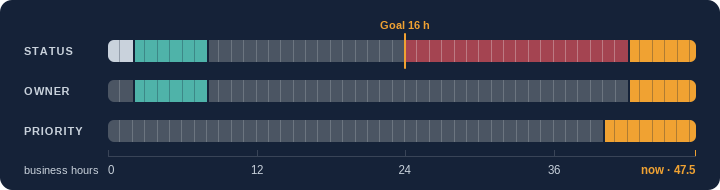
Sojourn records how long every record spends in each status and with each owner, in business hours, as plain rows you can report on. Each Tracked field gets its own lane.
Also in these docs#
Report cookbook
Group and filter intervals so the numbers mean what you think.
Reference
Every object, field, and permission set, generated from the package.
Changelog
What changed in each sprint and package version.